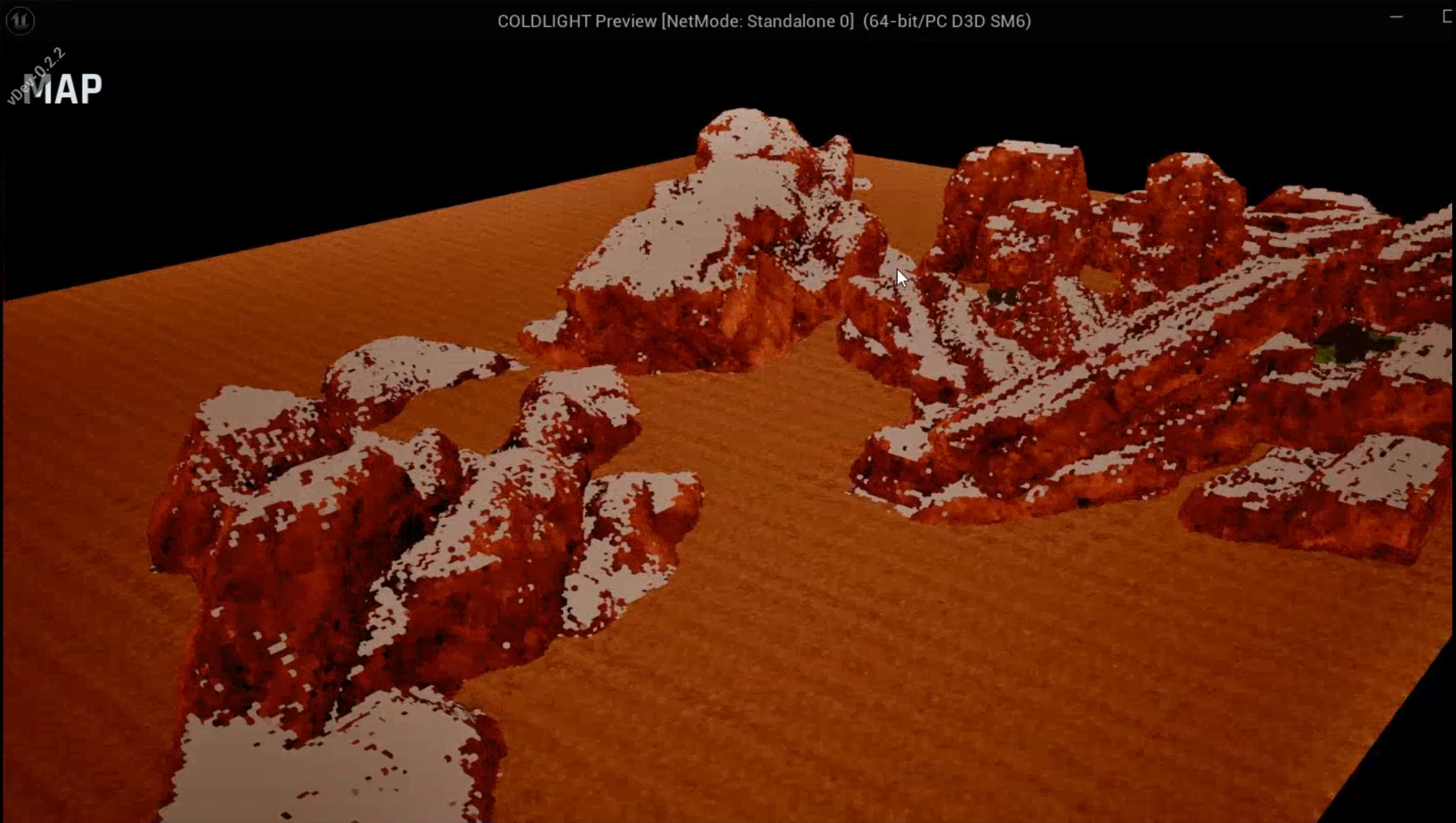
Rebuilding PAYDAY 3 Modding for Unreal Engine 5
When PAYDAY 3 moved from Unreal Engine 4.27 to UE5 in August 2026, much of the community’s modding environment stopped being usable. Projects, generated definitions and packaging workflows had accumulated around the old engine. Moving to UE5 meant revisiting the assumptions underneath them.
I had already spent a substantial amount of time inside those constraints. Alongside VanillaHUD+, HUDCore and other mods, I had helped maintain the community’s earlier UE4 development project. I knew how much work could happen before a modder reached the part they actually wanted to build: inspect cooked assets, reconstruct dependencies, repair definitions, cook through separate tools, then copy files into the game.
Our initial aim was to recover that environment. Over a short, intensive period, it became a larger engineering project: a custom Unreal Editor, a Modkit built around installed game content, integrated authoring and packaging tools, and a runtime framework with its own in-game interface.
This article covers how those pieces fit together and the boundaries we are still working through. The portfolio case study provides a shorter visual overview.
From rebuilding to rethinking
Restoring the old workflow would have restored its friction too. In UE4, even a fairly focused modification could involve understanding several tools and maintaining a reconstructed version of the content it touched. Some categories, particularly materials and animations, were difficult because editor output and game expectations did not line up reliably.
The question became: could we make the editor understand more of the existing game, then carry a mod from creation to runtime through a consistent workflow?
I developed the custom UE5 compatibility editor, maintained the Modkit project, built CrimeForge for editor-side mod development, and rebuilt PDML for runtime integration. I also worked on Suzie integration, interfaces, templates and documentation. This remains a community project, with other developers contributing features, testing and guides. JMAP, Suzie, FModel, Unreal Engine and Wwise are existing projects that the toolchain builds upon.
- Custom UE5 EditorMount supported cooked game content
- PD3 ModkitAuthor content in the development project
- JMAP + SuzieResolve reflected native game types
- CrimeForgeCreate, validate, cook and package mods
- PDMLIntegrate plugin mods into the game
Installed game content and locally generated reflection data supply the editor. CrimeForge produces plugin mods for PDML.
Teaching an editor to load shipped content
A standard Unreal Editor expects editable source assets. PAYDAY 3 ships cooked packages prepared for its runtime. Those packages preserve what the game needs to execute and render, but do not retain the complete editor representation of every asset.
The custom editor is based on Unreal Engine 5.5.4, matching the game version targeted by the Modkit. Users configure their installed game directory and AES key, supply the current AssetRegistry.bin, and generate native reflection data. The engine mounts supported retail containers, including IoStore content. The external registry makes supported assets discoverable in the Content Browser under their original /Game/... locations.
Mounting a container is only the beginning. The editor also needs to resolve dependencies, understand the classes referenced by packages, and tolerate data that was serialized for a shipped game. My compatibility work spans cooked package loading, registry preservation during refreshes, cooked Blueprint references, thumbnails, supported level loading and unversioned property serialization.
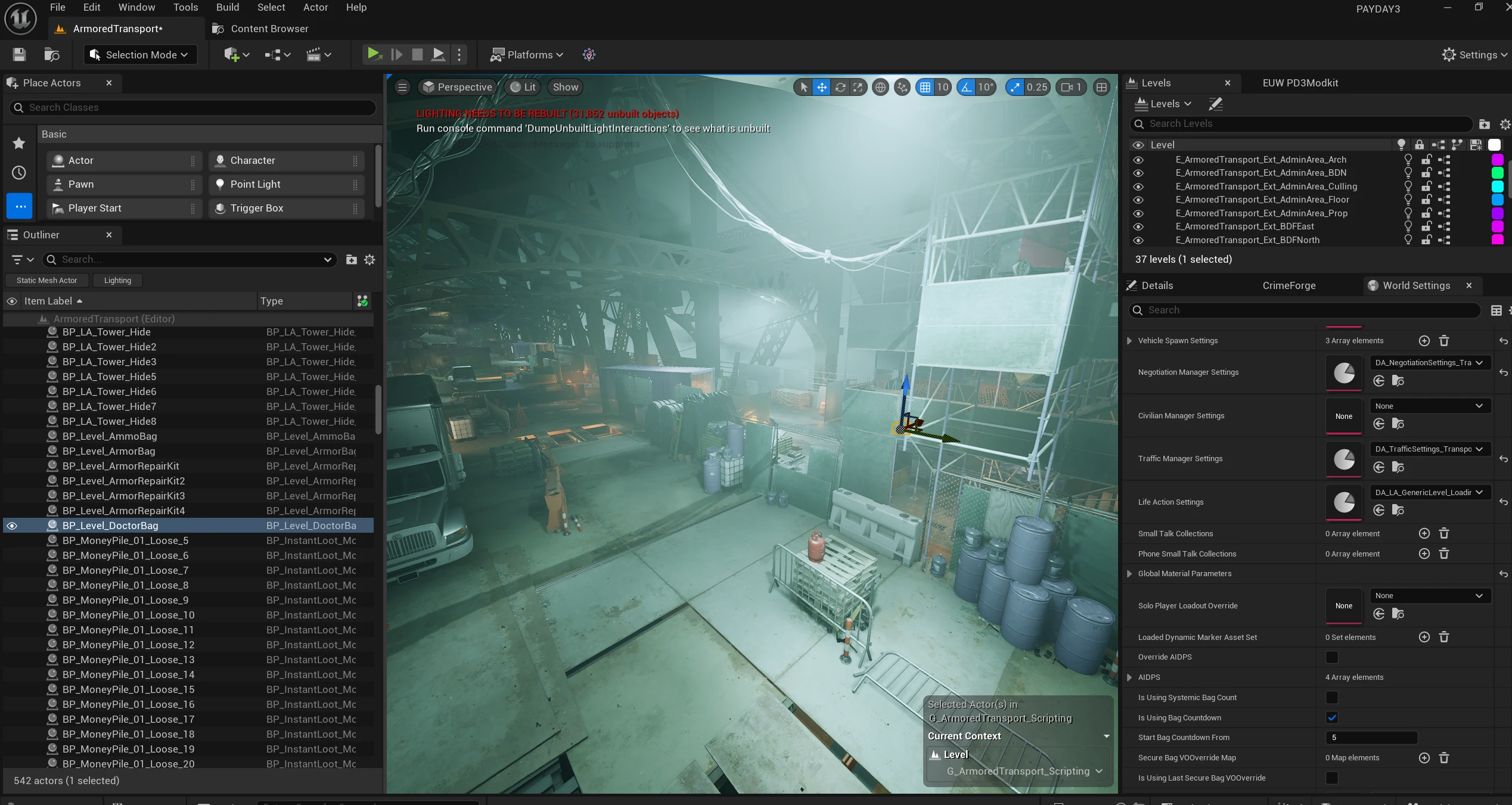
The architectural choice is to use the user’s installed game as the content source. Base-game assets generally remain read-only references and dependencies. The Modkit is not a redistributed PAYDAY 3 source project, and it does not contain the original native implementation. Modders create their own assets and supported replacements separately.
That boundary is useful in practice. A creator can inspect an existing asset’s defaults and relationships without first recreating its entire surrounding project. It also keeps game-owned content external rather than turning each development checkout into a duplicate content library. The custom editor documentation describes the supported compatibility areas and local configuration.
Reconstructing the missing game types
An asset registry answers which assets exist. It cannot supply the native classes those assets depend on.
PAYDAY 3 content references game-specific types, properties and inheritance relationships that do not exist in ordinary Unreal Engine. A cooked Data Asset can be present and discoverable while still being unusable because its class is missing. Blueprint parents create the same problem.
The Modkit addresses this through a modified JMAP dumping workflow and Suzie. GenerateJmap.bat gathers reflection metadata from a locally running game and places the JMAP in Content/DynamicClasses/. At project startup, Suzie reads that metadata, generates native class representations and registers them for editor use. My work integrates and extends that workflow for PAYDAY 3 compatibility.
This makes reflected game classes available to supported assets and authoring workflows. Modders can reference game-specific Data Asset types and derive Blueprints from reconstructed native parents without manually maintaining an enormous collection of generated UHT stubs.
There is an essential limit: a reflected function signature does not contain its original C++ implementation. The editor can understand that a function or property exists without reproducing the behaviour behind it. Features requiring that behaviour need explicit implementations or appropriate runtime integration.
This also changes maintenance. After ordinary updates, users generally refresh the JMAP and AssetRegistry.bin, then restart the project so Suzie can regenerate local class data. Both inputs need to match the game build. It is more maintainable than treating generated definitions as permanent, although engine or serialization changes can still require code fixes. The reflected-types guide explains the two inputs separately.
Making cooked assets useful
Getting an asset to load is different from recovering an editable version. I have tried to keep that distinction clear in both the tooling and documentation.
For supported assets, the workflow is to inspect the cooked original, convert it to an uncooked copy or supported replacement, make the required changes, and include the result in the mod’s packaging configuration. Some simpler types can be reconstructed substantially. More complex assets may expose useful defaults, components and references alongside generated stubs or placeholder data.
Blueprints and widgets make the limitations especially visible. Cooked data generally cannot provide the original editor graphs. Reconstructing a class or widget hierarchy gives a creator a closer starting point, but it does not restore all of the original logic.
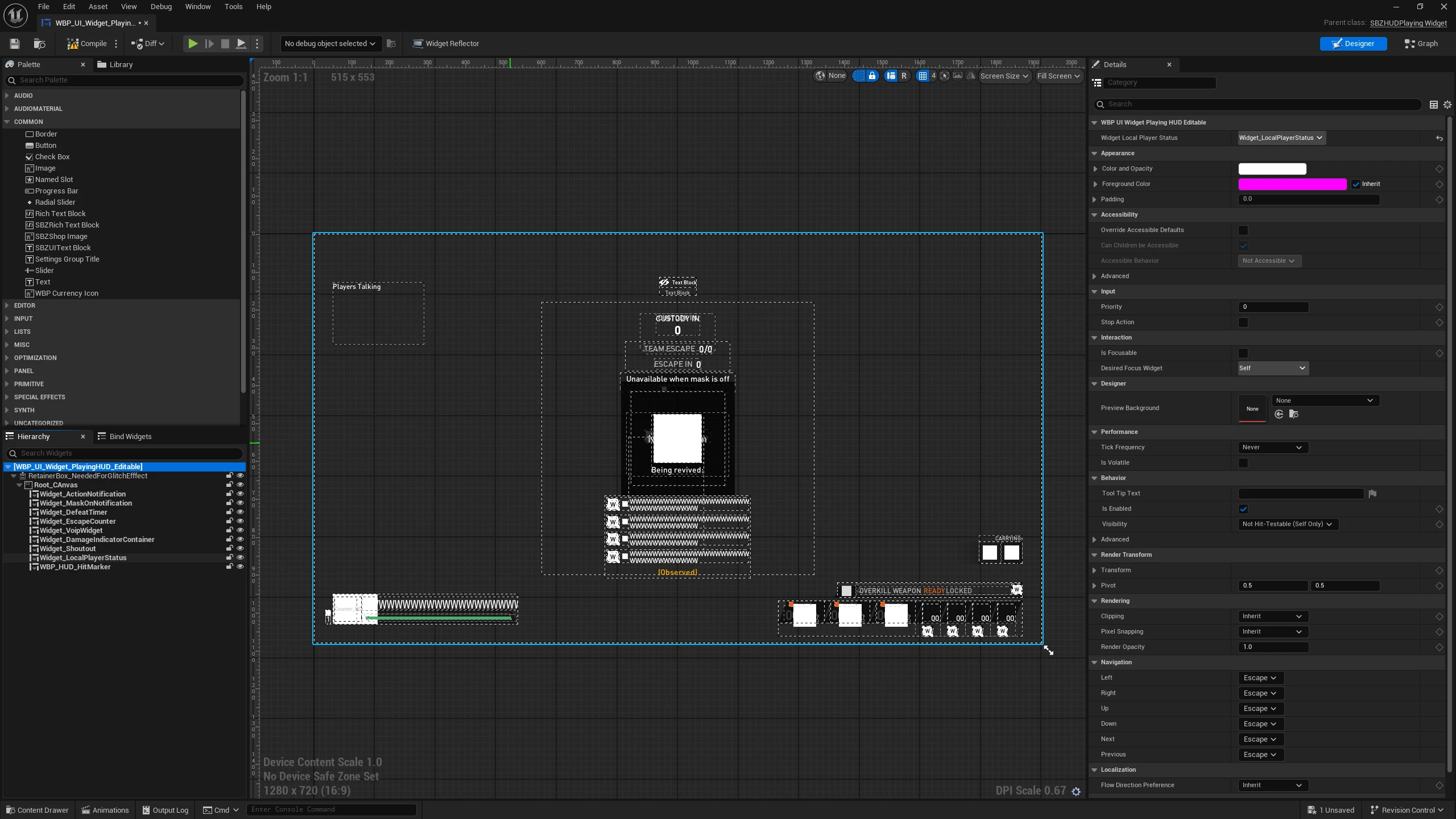
As a UI Engineer, this has been one of the most interesting areas. A game widget depends on more than its appearance. Its parent class, properties, named bindings, animations and tick-related class flags can all matter. Recovering the hierarchy while losing expected binding metadata can leave something that looks plausible but still needs additional work. Widget compatibility and more complete reconstruction remain ongoing.
Meshes, skeletons and animations provide another useful authoring path. Supported game skeletons can be used to preview custom animations, and the editor supports demonstrated static mesh, skeletal mesh and material workflows. Compatibility still varies by asset and build.
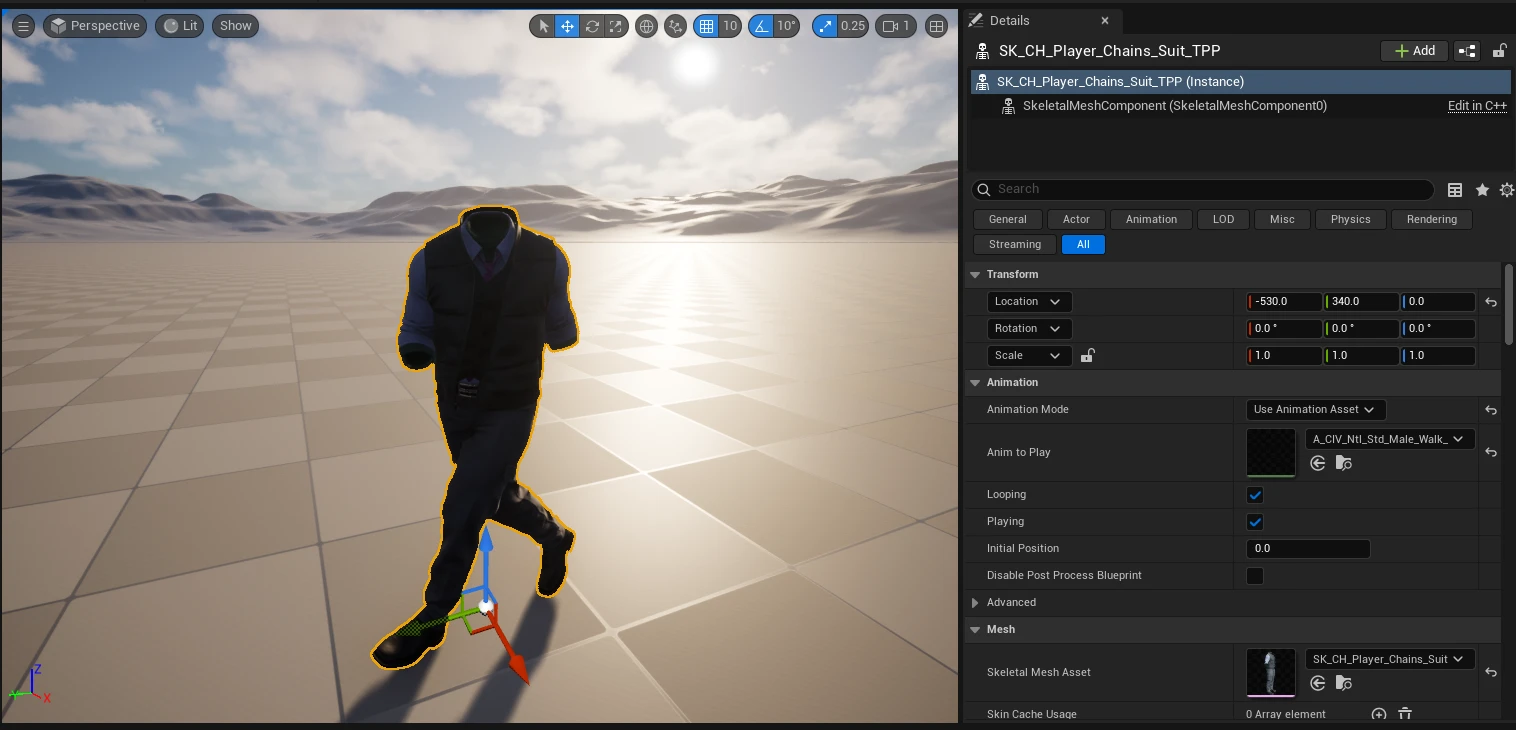
The team’s material baking work, credited to Columbus in the announcement, is another practical improvement. PAYDAY 3 materials can combine colour layers and masks that previously needed manual interpretation. Baking helps produce a more useful starting texture, although some materials still differ from their in-game appearance and accessory textures are not necessarily included.
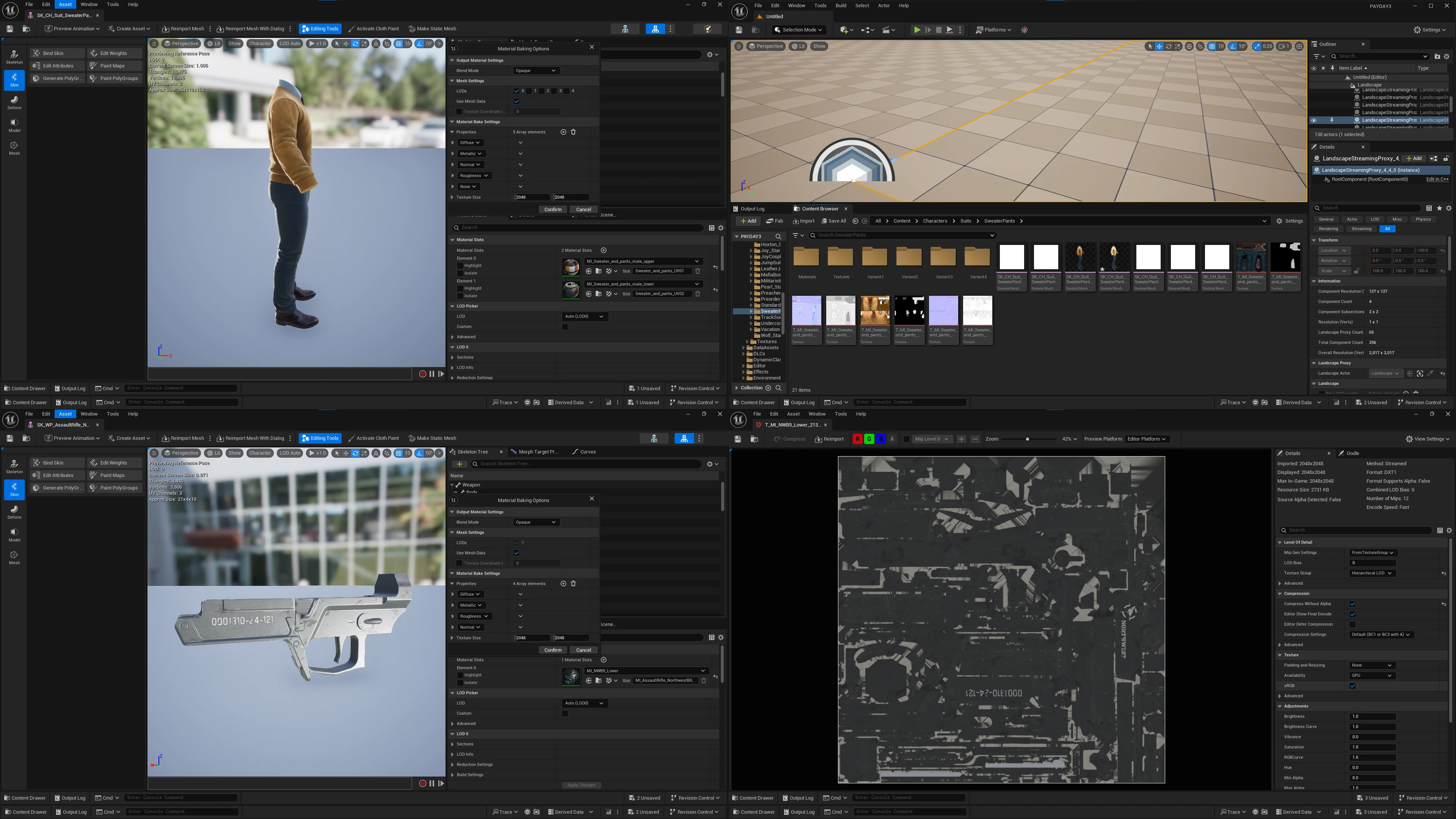
Audio has its own dependencies. The Modkit includes a modified Wwise integration based on 2023.1.15.8789.3579; users supply matching Audiokinetic third-party SDK files. Compatible cooked audio workflows depend on that integration as well as the engine and reflection setup.
CrimeForge: designing around the modder’s task
Once the editor could expose useful game content, the surrounding workflow needed the same attention. I built CrimeForge as a custom editor plugin so creating, configuring and packaging a mod could happen through one interface.
The C++ and Slate manager centres on mod plugins. Searchable cards expose selection controls, icons, metadata and Forge actions. Clicking an icon opens the plugin’s content root. Information and configuration interfaces cover names, authors, descriptions, versions, links, dependencies and packaging settings.
Each mod has its own Unreal plugin namespace. That makes ownership easier to understand: the mod’s content is separate from mounted game references, while explicit replacement assets can still target original paths.
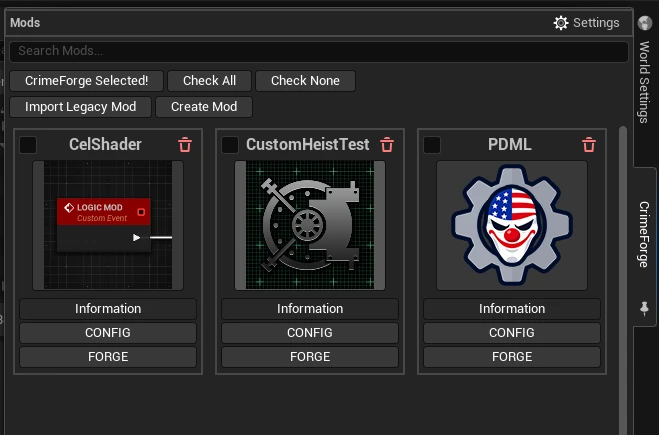
The three current templates are Blank, Logic Mod and Custom Heist. Blank creates the plugin and standard assets, including PAL_<ModName> and DA_<ModName>. Logic Mod adds a ModActorBase Blueprint and registers it. Custom Heist creates a PD3HeistDataAsset, a level such as LVL_<ModName>, and the initial registration and level-path references.
Those connections are repetitive but consequential. Automating them lets authors start with a coherent foundation. HUD and audio templates are planned additions. Compatible legacy UE4 or non-CrimeForge imports can also help migrate content, but conversion cannot guarantee that every older mod will work in UE5.
Validation is part of the interface design. CrimeForge checks Primary Asset Labels, Asset Manager registration, chunk configuration, explicit assets, dependencies and leftover template references before starting the longer cook. Errors block the operation; warnings identify conditions to review. Fix Issues repairs recognised configuration problems where safe, while references requiring an author’s decision remain visible.
Why Forge needs two cooking paths
Forge is the name of CrimeForge’s build operation. It validates a mod, resolves its packaging configuration, cooks the required content and produces a complete PDML-compatible plugin. The interesting difficulty is that a plugin’s own content and a base-game replacement do not share the same content root.
A mod containing only /MyMod/... assets can follow the plugin packaging path. A replacement for /Game/... must preserve the original package path so the game can resolve it as intended. Packaging only the plugin root does not solve that second case.
CrimeForge uses Primary Asset Labels and their Explicit Assets list to describe what belongs in a build. Chunk IDs need to avoid game and DLC values; the documentation recommends values above 100.
When external replacements are present, Forge performs a plugin cook and an additional project cook for the required replacement content, then combines the selected cooked output into the final plugin structure. Plugin-only mods skip the extra pass. This keeps the ordinary case simpler while accommodating mods that mix new content with replacements.
The public PackagePlugin automation also makes the second pass explicit through a packaging manifest. It records external cook packages and the expected chunk package set, validates their relationship, and rejects ambiguous input. That matters because mounted base-game dependencies should remain references rather than becoming an uncontrolled set of extra cook targets. The Forge documentation and automation source cover this boundary.
The pipeline uses Unreal Automation Tool and custom CrimeForge.Automation tooling, with preparation for missing or stale automation components. Output can include .pak, .utoc and .ucas containers, retained inside a complete plugin. Forge also produces a distribution archive and can copy the mod to the game and launch it for testing. Storefront-specific launching still needs additional validation.
PDML: carrying the workflow into the game
CrimeForge’s output needs a matching runtime contract. PDML is the loader and integration framework I rebuilt for UE5, now available in public early access.
Mods are installed as complete folders, for example PAYDAY3/Mods/MyMod/MyMod.uplugin. Keeping descriptors, cooked assets and supporting content together gives the loader a clear discovery boundary, separate from the game’s own Content/Paks/ directory. The Modkit includes PDML development assets so authors can reference its exposed Blueprint APIs.
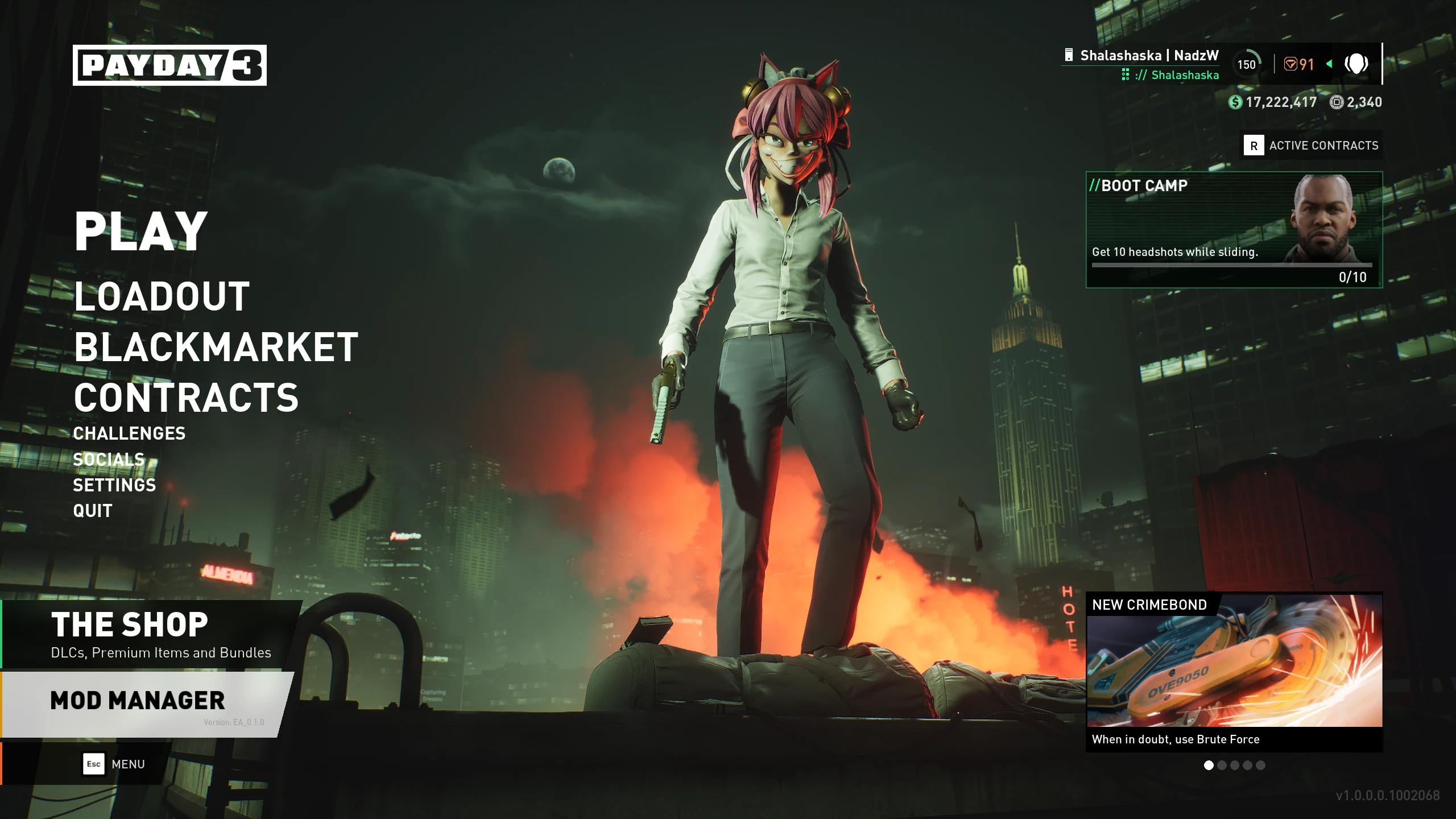
PDML provides supported registration and initialization for Blueprint logic mods, UI, settings and custom-heist content. For players, its most visible parts are the main-menu Mod Manager and integrated settings. They can inspect installed compatible mods, read metadata and open download pages. Supported mods can expose their own configuration inside the game.
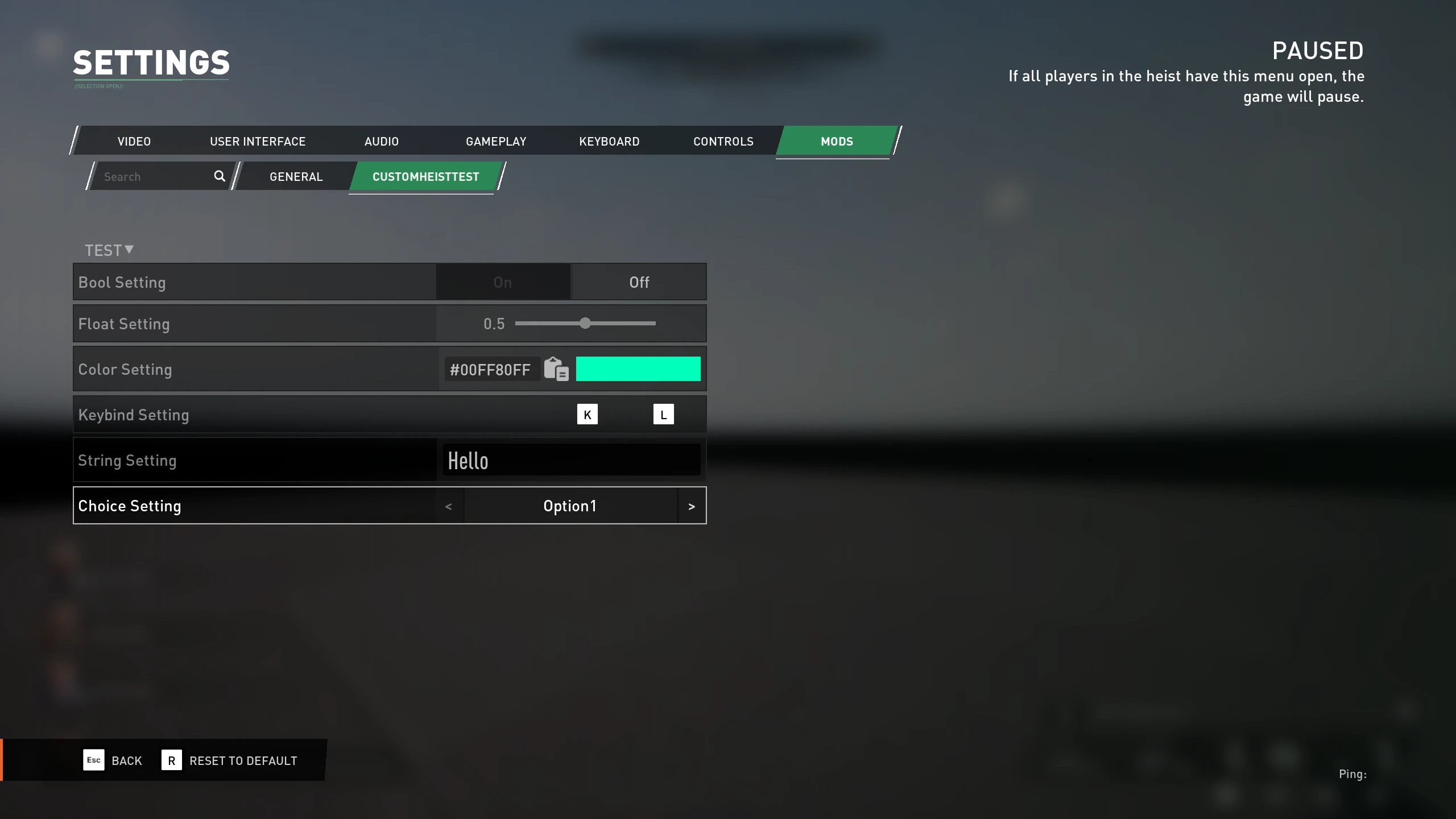
That combination builds on my HUDCore and VanillaHUD+ work. A common framework can reduce how much surrounding integration each HUD author needs to recreate. It does not automatically restore the original HUD’s widget logic.
Custom heists benefit from the same connection: inspect supported levels, author a new level using reflected classes and heist data, Forge it, then register it through PDML. This is a foundation for more accessible heist development. Advanced navigation, AirNav and some game-specific behaviours still need compatibility work.
The remaining runtime boundary
One ongoing challenge is controlled runtime plugin management through the SBZModloader subsystem work. Discovering a descriptor, mounting cooked containers and registering a content mount point do not automatically make every asset discoverable to the Asset Registry.
Startup-loaded plugins and plugins introduced after the game is running can take different paths. Resolving that involves plugin activation, registry data and runtime asset discovery together. I am treating this as ongoing engineering, not a claim that reliable dynamic mounting, unloading or hot-swapping already ships.
Load ordering, enable/disable controls and stronger dependency management remain planned or under consideration. ModWorkshop integration has been prototyped, but in-game browsing, downloads and updates are future work. Further additive inventory content is another direction, rather than a blanket promise of support for every new weapon, mask or outfit.
Documentation, feedback and recognition
The environment needs to be usable by people who did not build it. Our Antora and AsciiDoc documentation connects installation, FModel and Wwise setup, JMAP generation, editor configuration, templates, validation, replacement authoring and runtime testing. A beginner should have a repeatable route to a first mod without first learning every engine detail involved.
Community testing has helped expose unsupported assets, setup problems and storefront differences. The announcement’s contributor list credits Capcake, Pinki_Ninja, Columbus, DrProtogen, Braidy08 and Gordon Greedman across documentation, compatibility work and testing. FlamingFury1000 also contributed future interface concepts, which are separate from the current UI pictured here.
One of the most encouraging parts has been seeing Starbreeze acknowledge what we’ve been building. They’ve been positive about the work and have shown interest in supporting it further. I can’t share additional details at this stage, but having the game’s developers recognise the effort means a lot. This remains a community-developed toolchain.
Working across these systems has reinforced a practical lesson for me: compatibility needs to hold from inspection through packaging to runtime use. An asset appearing in the editor is only one milestone. Clear validation, understandable interfaces and good documentation are part of making that technical capability useful to someone else.
There is more to do on asset coverage, complex widget reconstruction, runtime discovery and custom-heist systems. The foundation now brings authoring, packaging and in-game integration much closer together. The goal is to give creators more time to build modifications that were previously difficult or impractical, and less time reconstructing the environment around them.
The Modkit repository, documentation and PDML release are available publicly. My earlier UE4 modding project and VanillaHUD+ article cover the work that led here.
All screenshots in this article come from the public community announcement. The social preview uses the banner from the PDML ModWorkshop page.